Duck
The reverb steps back while you play and blooms in the gaps, so a big room on a snare or a vocal doesn't muddy the groove. At 100% it drops by up to 24 dB under a loud hit and comes back within about a quarter of a second.
Liminal Hz is a free convolution reverb for Akai MPC and Force. Play through empty malls, stairwells, backrooms and stranger spaces, made from impulse responses and running on the hardware itself.
Tested on an Akai Force and an MPC Live III, MPC OS 3.10 and 3.10.1
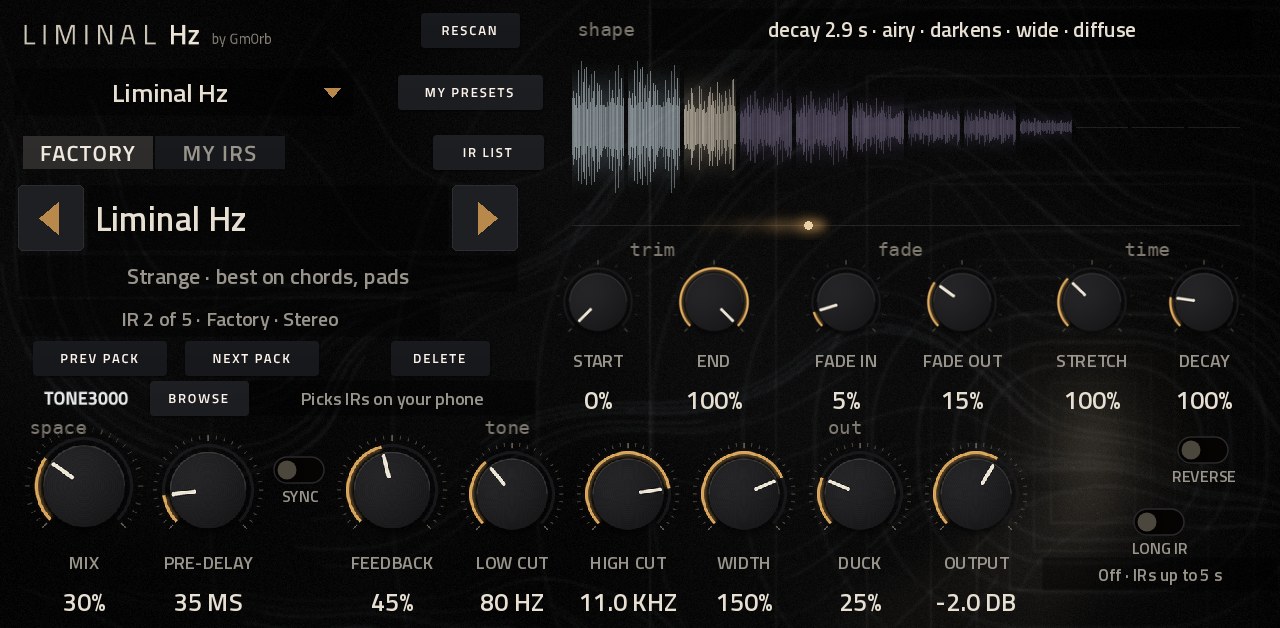
Each sound plays dry and through Liminal Hz at the same time, so you can flip between them mid phrase. This is the plugin's real output, level matched with its Output knob so the louder one doesn't win.
Press play, then switch between Dry and Liminal Hz while it plays.
Real rooms and impossible ones, on the MPC itself. No computer, no latency, nothing to pay.
Four additions that came from using it on records: big rooms that stay out of the groove, echoes locked to the tempo, sounds that aren't rooms at all, and presets in the MPC's own menu.
The reverb steps back while you play and blooms in the gaps, so a big room on a snare or a vocal doesn't muddy the groove. At 100% it drops by up to 24 dB under a loud hit and comes back within about a quarter of a second.
Pre delay in note values at your project's tempo, following tempo changes as they happen.
Five impulse responses that aren't rooms. Play a drum loop through a struck pipe or a tuned chord, scatter a voice into grains, or make hi hats breathe.
Every preset sits in the menu at the top of the MPC's screen, grouped by what it's for, followed by the IRs on your cards. Picking one of your IRs starts it from Init, and a project always reopens with its own sound.
Made for the touchscreen, with nothing hidden on other tabs. The knobs are grouped the way you reach for them.
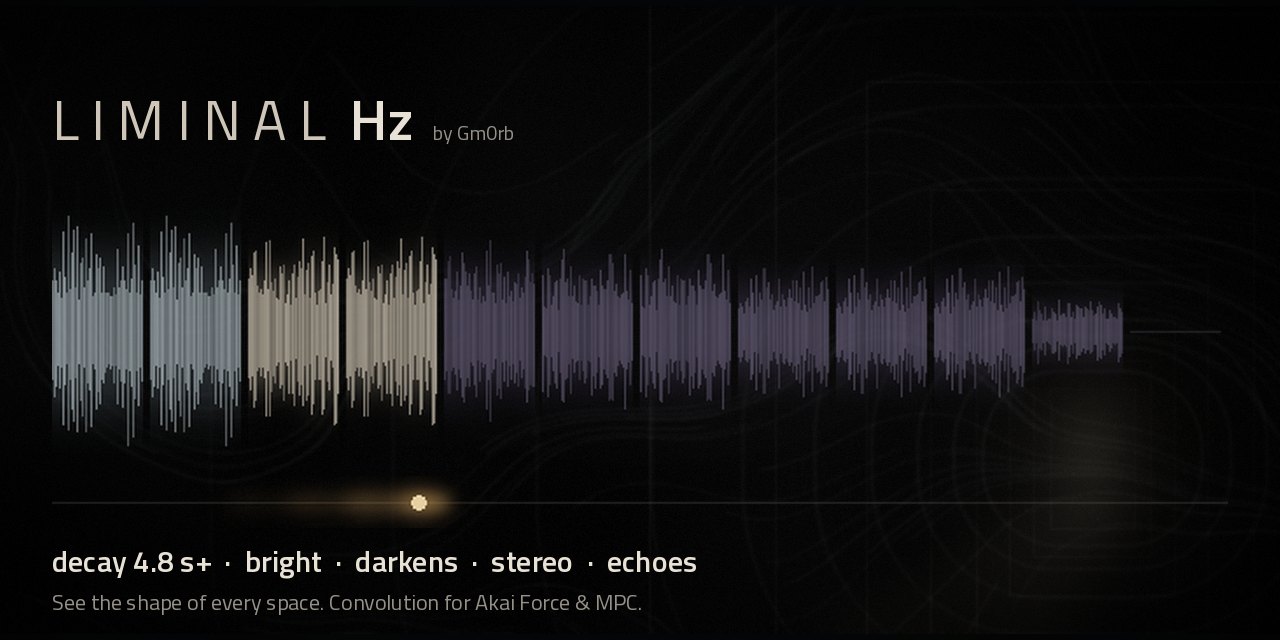
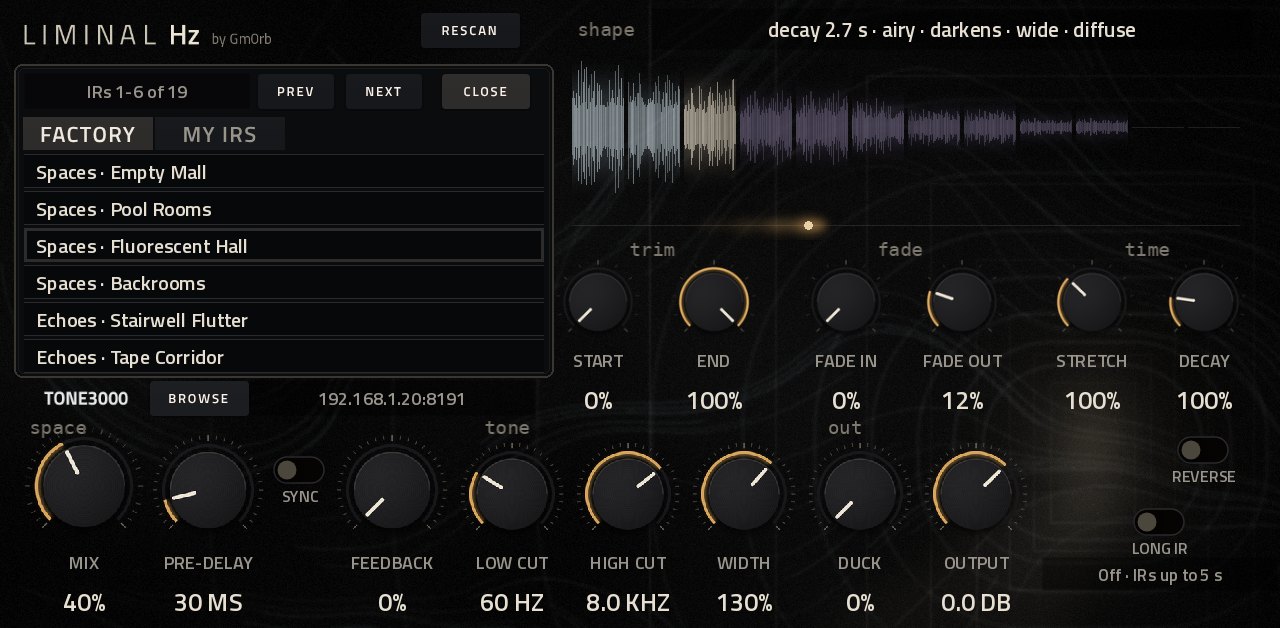
The factory IRs are generated rather than recorded, so they're free to use like the rest of the plugin. Here they are as the MPC's menu groups them, with what each one suits.
Any of them on anything is fair game. Your own sounds go in My Presets: save the knobs and the IR, load them back exactly as saved, and name them from your phone.
Each video plays the dry sound first, then the same phrase through Liminal Hz, with the page showing what the plugin reported while it played. Every sound is synthesized, so nothing here is a sample.
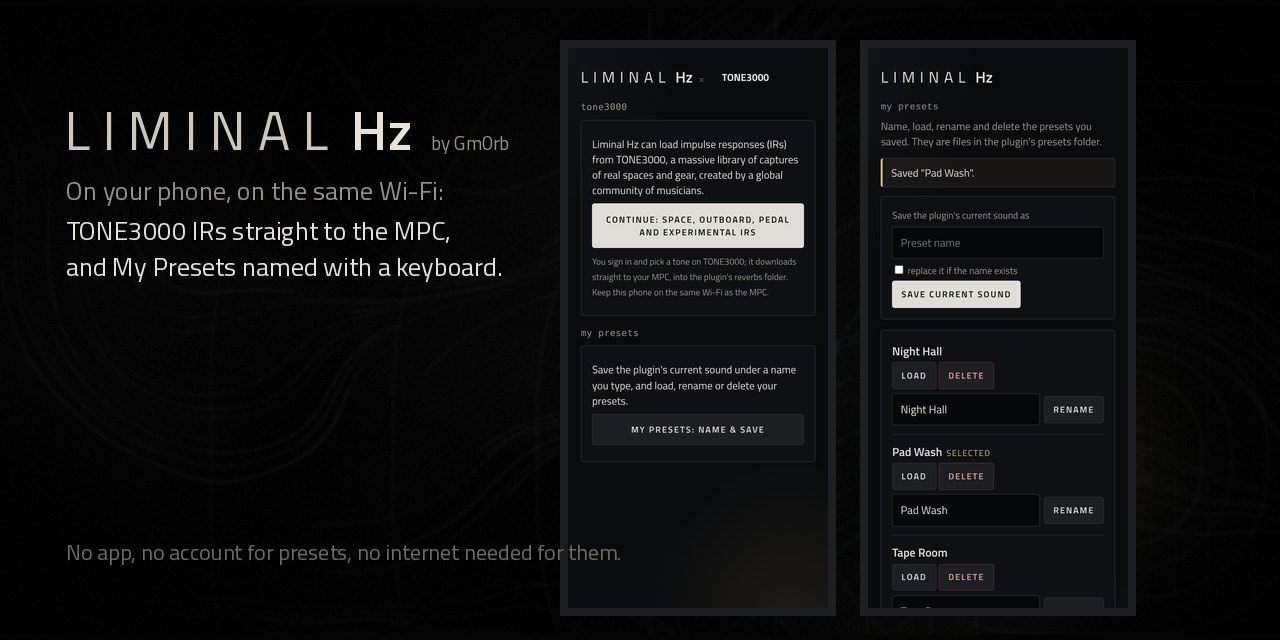
Drop any .wav into a folder named reverbs on your drives and cards. Rooms work, and so does a drum hit, a vocal phrase or a chord from your MPC: your sound plays through it.
On MPC OS 3.10.1 and later the MPC loads Liminal Hz by itself: one download for every unit, no install script. Earlier firmware uses the builds further down.
Every MPC and Force on 3.10.1 or later, Gen 1 and Gen 2. This one folder holds both builds.
Gm0rb - VST - Liminal Hz folder into a folder named VST2 Plugins at the top of a USB drive, SD card or the internal drive.Coming from an older install? Copy your presets folder into the new folder, then remove the old install so Liminal Hz isn't listed twice. Before you switch, save the sound in each project you care about as a My Preset: if a project opens without the plugin, add Liminal Hz again and load it. Akai doesn't test or support third party plugins, so save your work often.
Force, MPC Live and Live II, MPC One, MPC X, MPC Key
Liminal-Hz-for-MPC-OS-<version>.zip.Gm0rb - VST - Liminal Hz folder into your Synths folder.vstscanner. Liminal Hz appears under Gm0rb in the MPC's plugin list.MPC Live III and other RK3588 units, 64 bit
Liminal-Hz-<version>-mpc-aarch64.zip from the MPC OS Plugin Catalog.install.sh as root, following its INSTALL.md.Gen 1 keeps IRs to 5 seconds to spare its CPU. Long IR lifts that to 20 seconds when you want it, and Gen 2 always runs at full length.
| Feature | Gen 1 | Gen 1 with Long IR | Gen 2 |
|---|---|---|---|
| IR length used | 5 s | 20 s | 20 s |
| A 5 s room at Decay 300% | stops at 5 s | rings about 15 s | rings about 15 s |
| IR resampling | cubic | windowed sinc | windowed sinc |
| Decay analysis | 2048 point | 4096 point | 4096 point |
| Latency | zero | zero | zero |
Yes. Liminal Hz is MIT licensed and free to use on anything you release, factory IRs included: they're generated, not recorded, so there's nothing to clear. If it ends up on your records, you can buy Gmorb a coffee.
Gen 1: Force, MPC Live and Live II, MPC One, MPC X and MPC Key. Gen 2: MPC Live III and other RK3588 units. It runs on the hardware in standalone mode; it isn't a desktop plugin.
No, but it's the easiest way in. On 3.10.1 and later you copy one folder into VST2 Plugins and turn on External Plugin Support. Earlier 3.x firmware uses the Gen 1 and Gen 2 builds, installed the older way.
Any mono or stereo .wav in a folder named reverbs on your drives: 16, 24 or 32 bit, any sample rate. Up to 5 seconds are used on Gen 1, or 20 with Long IR, and 20 on Gen 2. You can also download IRs from TONE3000 with your phone.
On an Akai Force, a 5 second stereo IR costs the audio thread about 3.4% of a block on average, with the long tail computed on a second core. Gen 2 has plenty of room for 20 second IRs.
No. The start of every IR runs in the MPC's own blocks, so the reverb begins exactly with your sound.
That hasn't been confirmed yet. Before switching to the MPC OS 3.10.1 install, save each project's sound as a My Preset. If a project opens without the plugin, add Liminal Hz again and load that preset.
Open an issue on GitHub with your device, MPC OS version and what you did. Akai doesn't support third party plugins, so please don't contact them about it.
Free, for every MPC and Force. One folder on MPC OS 3.10.1.